Sorted by what it needs
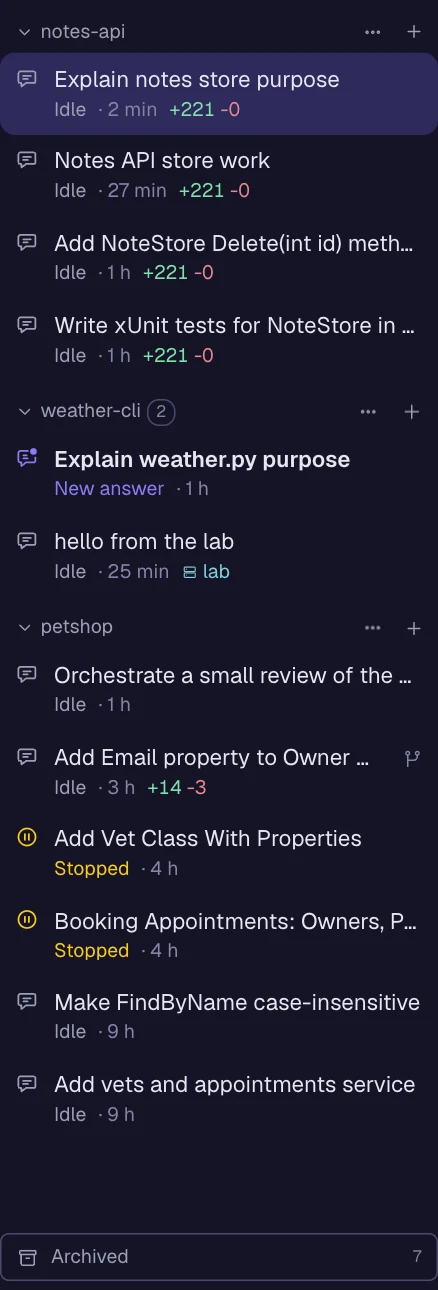
Sessions that wait for you come first and glide to the top when they start waiting. Then the idle ones, then the ones still working.
agent workspace · claude code
Geist keeps your Claude Code sessions for as long as the work takes. One per folder, grouped by project, sorted by what they need from you, with every agent they start in plain sight. On your own Claude subscription.
brew trust lixsldotnet/tap && brew install --cask lixsldotnet/tap/geistcurl -fsSL https://getgeist.dev/install.sh | shirm https://getgeist.dev/install.ps1 | iex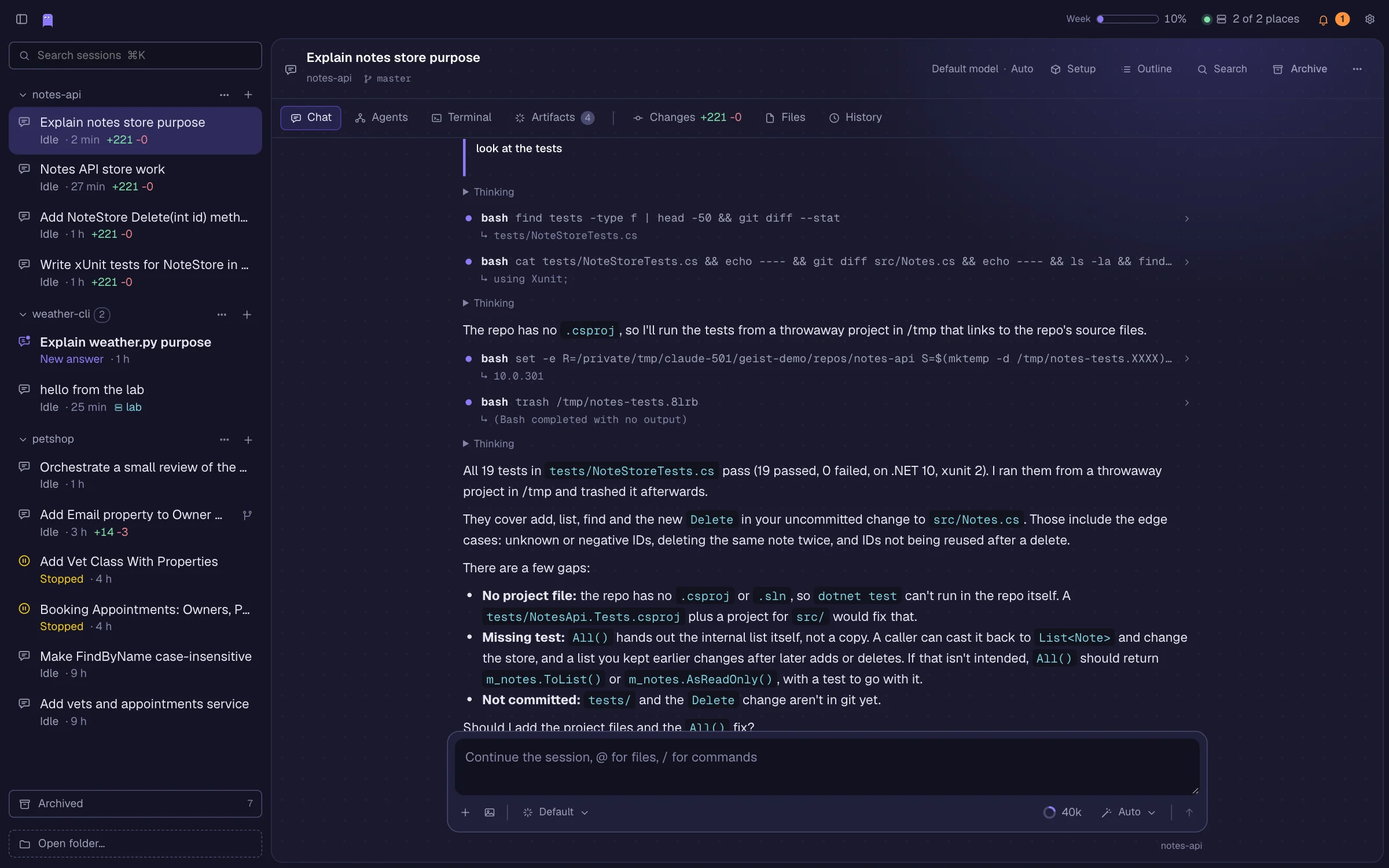
Long-lasting, like the work. Open it from a terminal, keep it for days, or throw it away when it was only a quick question.
~/code/petshop $ geist
A new session starts in the folder and the window comes to the front, the session under its project. A second folder gets its own group.
$ geist --resume
Pick a session up again from any terminal, even one started with claude. Jump to any prompt, search it, compact or fork it. Changes are your folder's git changes.
$ geist --temp
An anonymous session in a fresh folder. Close it and the folder, the session and its transcript are gone.
Sessions that wait for you come first and glide to the top when they start waiting. Then the idle ones, then the ones still working.
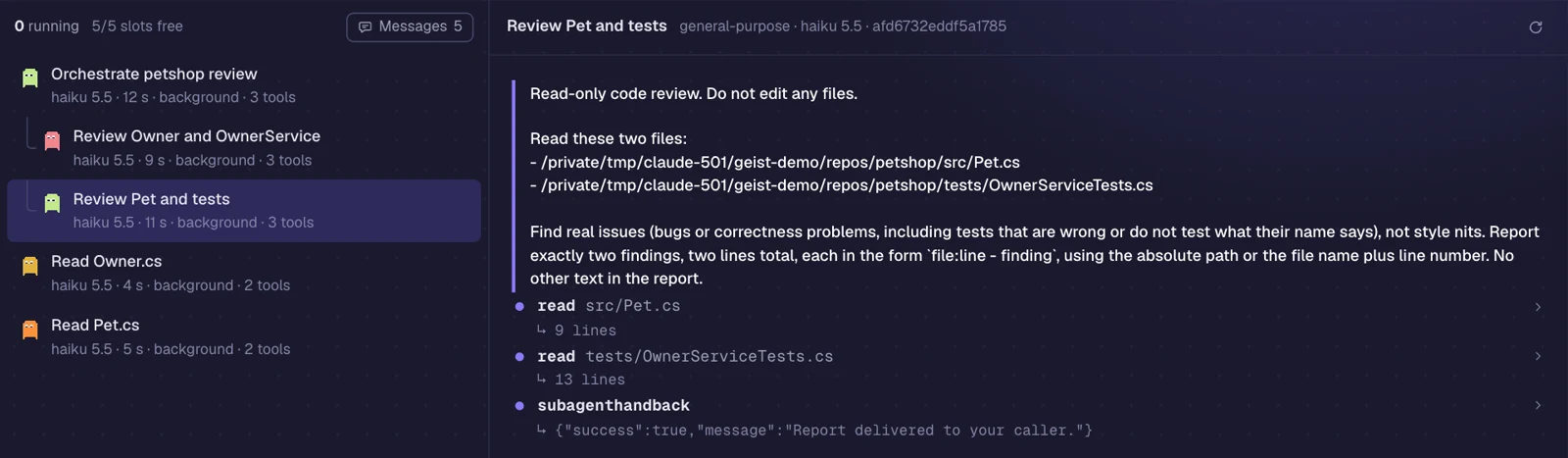
Subagents, background agents and whole orchestrated runs show up live as a tree: the session, its orchestrator, the workers. Read along in any agent's transcript and follow the reports between them.
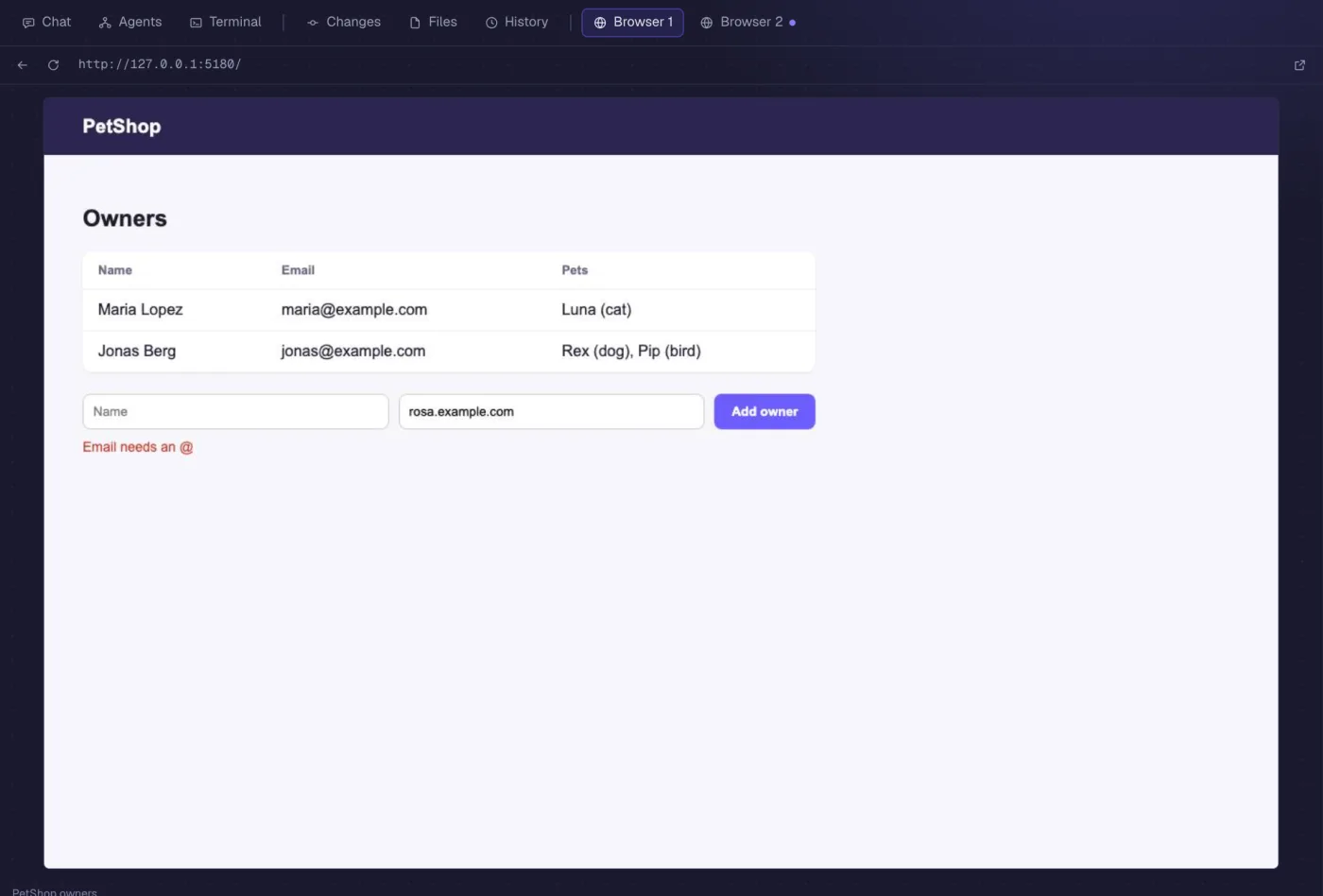
When Claude opens your dev server, a Browser tab shows up in the session, one per page it keeps open. Links it gives you, like a design system or an artifact, open in a tab too.
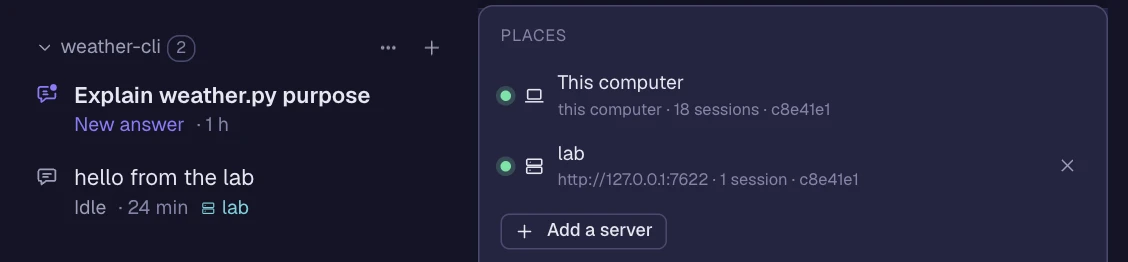
Geist talks to this computer and your servers at once. A repo that lives on several of them is one group in the left bar, its sessions sorted together and marked by where they run. The + asks where the next one starts.
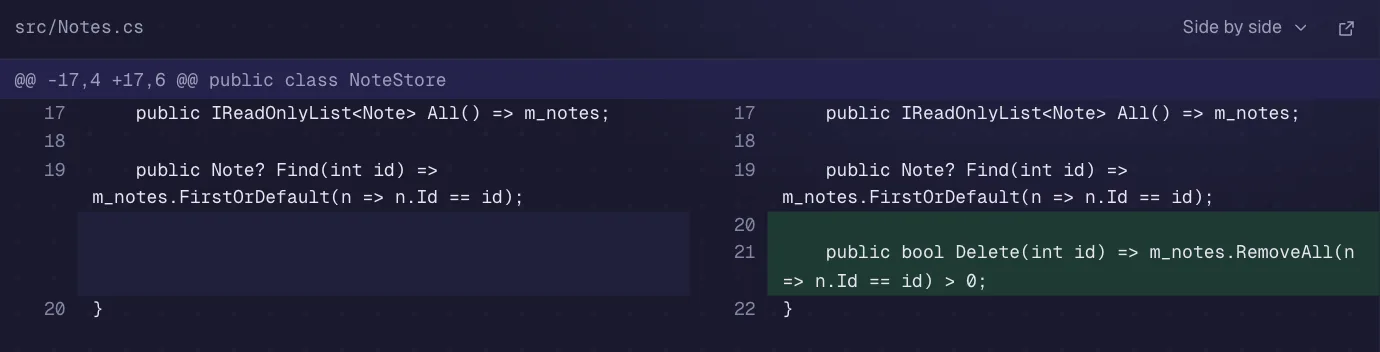
Every uncommitted file with its diff, side by side if you like. Comment on a line and send it to the agent, commit, push.
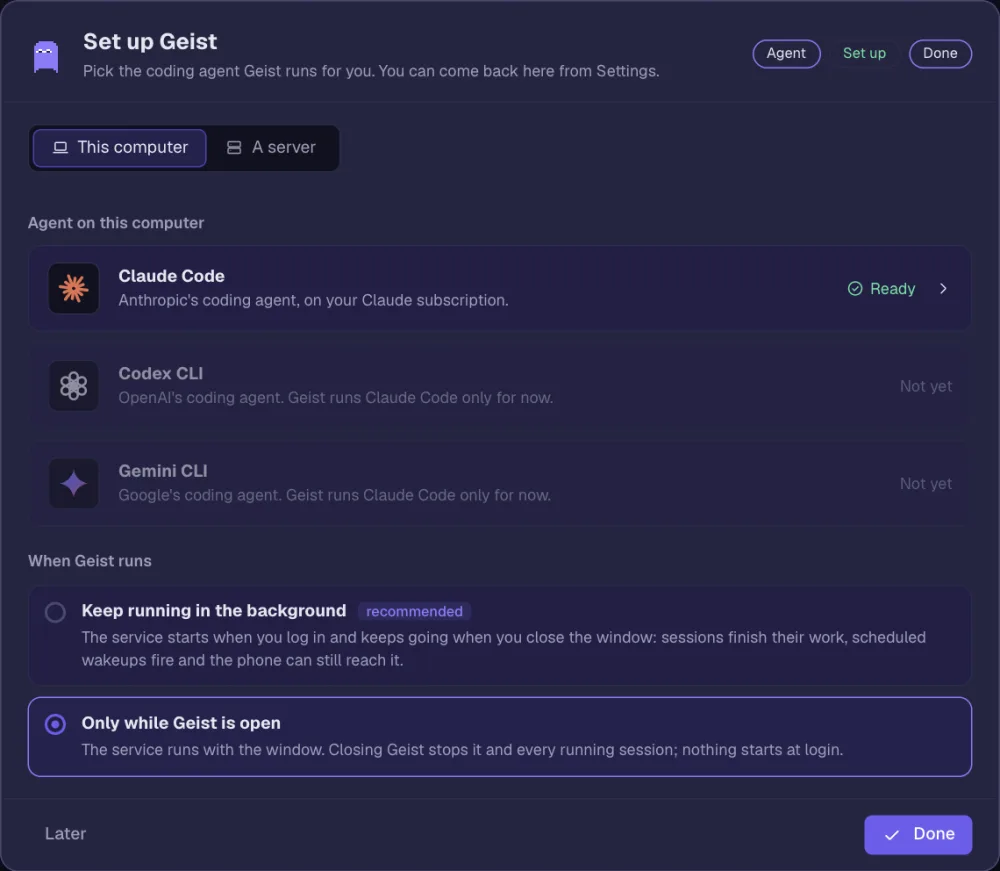
A short wizard picks the agent and logs it in, on this computer or a Linux server it keeps up to date.
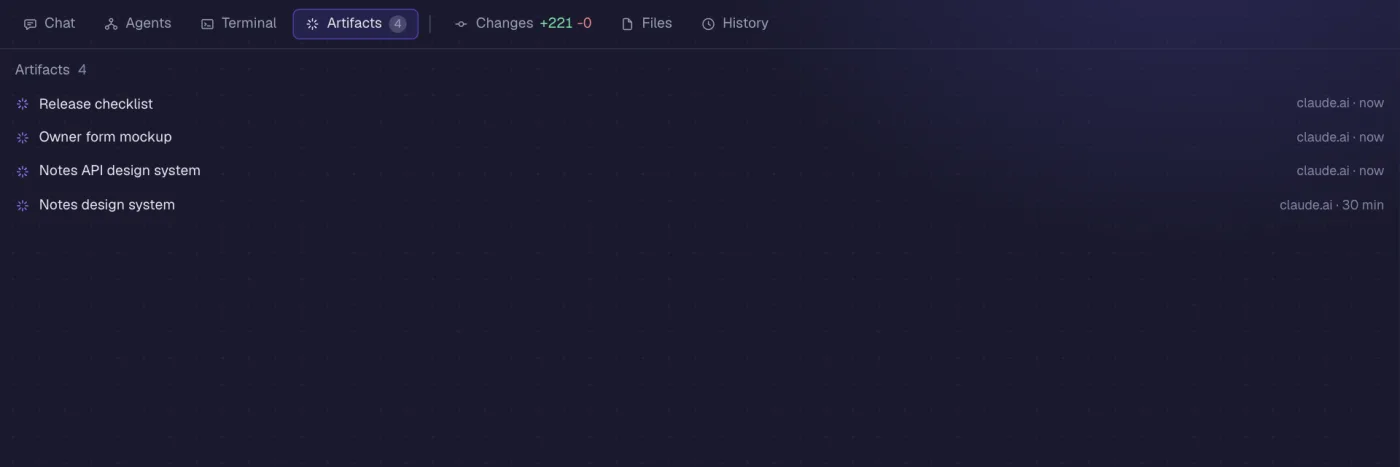
The claude.ai artifacts and design systems Claude links collect in the session's Artifacts tab and open right there, across the whole tab.
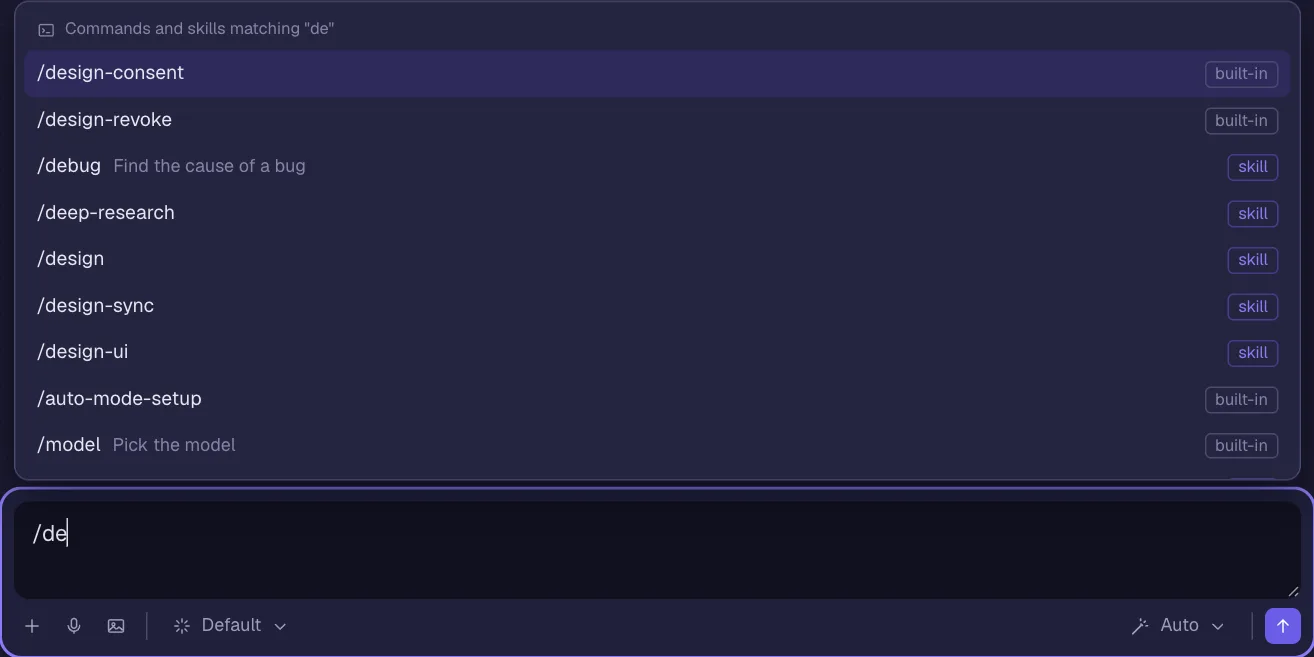
Type / for the session's slash commands and skills, built-in, your own and from plugins, straight from Claude Code.
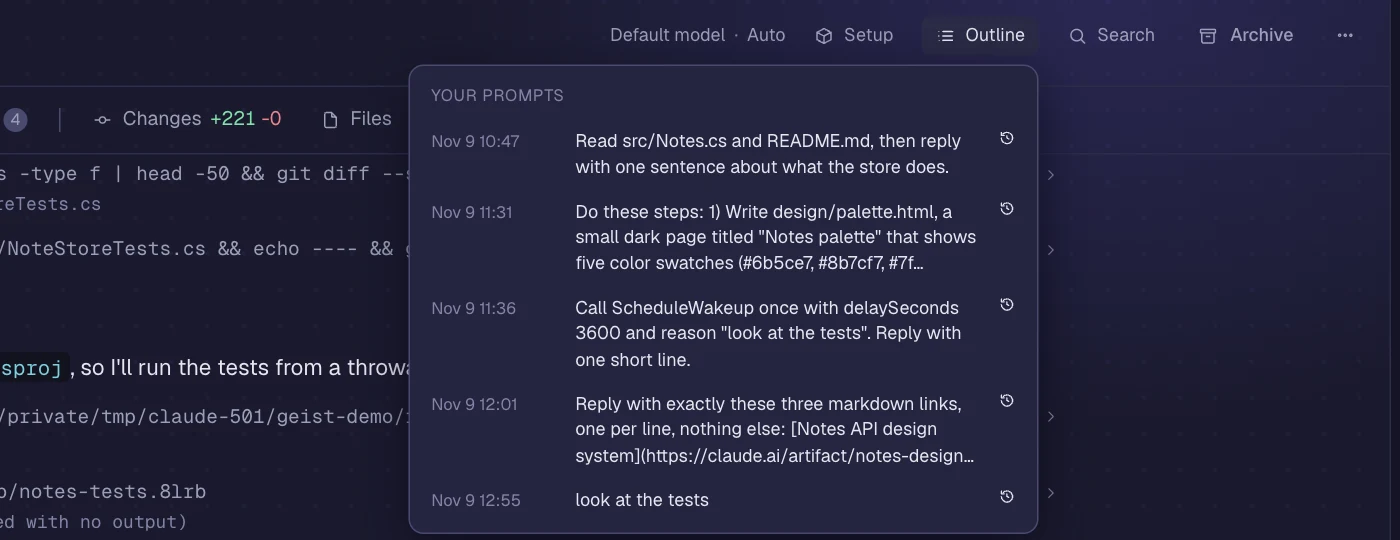
An outline of your prompts, search across the whole session, a context ring in the prompt box with Compact and Fork, your plan's usage in the top bar.
Import CLAUDE.md, skills, agents, commands, hooks and MCP servers in one click. In projects Geist uses the .claude/ folder, like Claude Code.
geistd downloads the official agent CLI release it is tested with and checks its checksum. Your login stays in the CLI's own flow. Geist local runs open models on your own hardware instead.
Everything Geist creates on a machine lives in ~/.geist. Remove it and Geist is gone.
brew trust lixsldotnet/tap && brew install --cask lixsldotnet/tap/geistcurl -fsSL https://getgeist.dev/install.sh | shirm https://getgeist.dev/install.ps1 | iex